
Trustreviewsx may earn a commission when you buy through links on this page, at no extra cost to you. This does not affect our ratings.
Thinking about collecting web data without hand-writing scrapers? A browse ai review helps buyers judge whether visual extraction can handle the listing tracking, price monitoring, and directory collection their teams rely on every week. Marketers, analysts, and small business owners all need structured web data, and they rarely have time to build custom scripts from scratch.
In this assessment, we break down how Browse AI is structured, where visual scrapers perform well, and where technical limits call for caution. Every organization's extraction needs differ, so the key question is whether the tool's scope matches the complexity of your workflow.
Trustreviewsx gives Browse AI an overall score of 7.8 out of ten. It suits teams that need quick visual extraction of page information and scheduled change alerts without coding. Organizations that need self-hosted infrastructure or custom code running across deeply nested network requests should look at developer-focused frameworks instead.
| Evaluation Metric | Trustreviewsx Summary |
|---|---|
| Trustreviewsx score | 7.8 / 10 |
| Best for | Teams that need visual point-and-click scraping and automated page monitoring without programming |
| Not ideal for | Organizations needing self-hosted scrapers or complex backend pipelines that require direct code changes |
| Key strengths | Point-and-click extractor setup, scheduled page monitoring, and structured data output |
| What to check before buying | Confirm run volumes, check frequency intervals, and export terms on the official Browse AI pricing page |
1. How Trustreviewsx Reviewed Browse AI
This review examines what Browse AI is built to do, who it serves, and how it compares with similar tools. We assessed it against seven Trustreviewsx criteria: features, ease of use, pricing and value, integrations, audience fit, support, and competitive position. Plans, prices, and limits change often, so we flag what to confirm on the official website before buying. This article was researched and drafted with AI assistance, then reviewed and edited by the Trustreviewsx Editorial Team.
2. What Is Browse AI and Who Is It For?
Browse AI is a visual web data extraction and website monitoring application. It lets users capture information from web pages and turn unstructured visual content into structured spreadsheets or automated data feeds. Instead of writing parsing rules in code, users define fields through interactive visual selections.
The product serves small business owners, market analysts, digital marketers, research teams, and operations specialists. These users often track competitor inventories, aggregate directory profiles, or collect research records at regular intervals. Teams exploring modern solutions in the Artificial Intelligence software category often evaluate visual extraction platforms to cut custom programming effort.
Web scrapers generally work by interacting with page elements, recording mouse actions, identifying repeated patterns such as tables or lists, and exporting the captured values. Browse AI handles this process through an interactive browser demonstration rather than script authoring.
3. Core Features of Browse AI
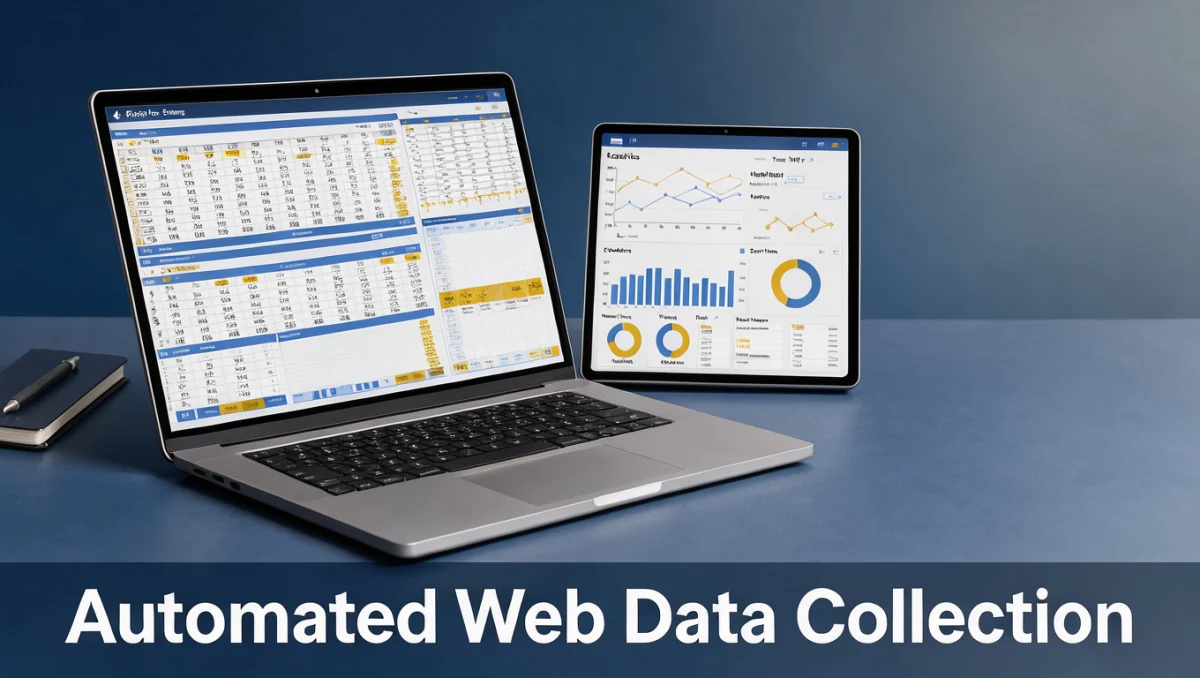
The functional scope of Browse AI falls into three main areas: extracting data points, watching for website changes, and sending structured records to third-party destinations.
3.1. Web Data Extraction
Data extraction is the platform's primary capability. Users select visible elements on target pages, including text fields, hyperlinks, product prices, and image sources. The platform recognizes repeated item layouts, letting buyers capture structured lists from search results, e-commerce stores, and job boards. Teams can direct the extractor through basic page transitions, pagination controls, and scrollable lists to gather multi-page records.
3.2. Automated Website Change Monitoring
Monitoring lets teams observe dynamic web content over recurring periods. Users set up checks that run at chosen intervals and audit specific fields for updates. When text, price listings, or availability statuses change on the target site, the workflow logs the event and generates an alert. This helps professionals track market pricing movements or stock changes across external portals.
3.3. Structured Data Exporting and Workflows
Extracted data has to reach databases, spreadsheets, or cloud storage before it delivers business value. Browse AI outputs captured records in structured tabular formats. Data tools in this subscription category typically offer export options built around webhooks, spreadsheet syncing, and cloud storage targets. Buyers should check the official documentation to confirm which synchronization options fit their downstream analysis software.
4. Ease of Use and Learning Curve
Visual scraping platforms aim to remove technical barriers for non-programmers. Browse AI offers an interactive training interface where users open a web address, highlight target items, and label data columns. This removes the need to inspect page source or write regular expressions for basic web structures.
The learning curve is manageable for people comfortable with basic web navigation and spreadsheets. Setting up a standard extractor usually takes minutes when target pages have a clear structure. Dynamic websites that use complex authentication, bot-prevention scripts, or irregular layouts, however, need extra adjustment and testing.
Non-technical team members can maintain scrapers for standard directories and catalogs. When a target site changes its visual layout, users must retrain the extractor to recognize the new element positions.
5. Pros and Cons of Browse AI
A balanced browse ai review weighs the operational benefits against the constraints inherent in this software category.
Pros
- An accessible visual interface lets non-developers extract data without programming knowledge.
- Dual functionality combines one-time batch extraction with scheduled monitoring and change detection.
- Guided field selection recognizes repeating lists, pagination controls, and tabular records.
- Structured output formats fit common operational spreadsheets and analytics tools.
Cons
- Vulnerable to website redesigns, requiring manual extractor retraining when source layouts change.
- Inherent difficulty with sites that rely on heavy interactive scripting or protective security layers.
- Subscription costs scale with run frequency and data volume, so quota tracking is necessary.
6. Browse AI vs Similar Tools
Data extraction software spans several categories, from visual scrapers to enterprise data-gathering networks. Comparing Browse AI with known alternatives clarifies its market position.
| Software | Market Positioning | Primary Workflow Focus | Consider If |
|---|---|---|---|
| Browse AI | Visual point-and-click extraction and site monitoring | No-code automated scrapers and change alerts | Your team wants fast visual scraper setup without writing scripts |
| Octoparse | Visual client scraper with broad parsing controls | Complex page navigation and large-scale visual scraping | You need desktop-level extraction rule control across deep websites |
| ParseHub | Visual desktop scraper for nested web elements | Handling complex client-side rendering and conditional navigation | Your projects involve multi-level nested page hierarchies |
| Apify | Developer-oriented cloud web scraping platform | Code-based scraping actors and programmatic data pipelines | Your technical staff prefers maintaining scrapers through custom code |
Developer tools such as Apify prioritize programmatic customization and code-level flexibility, while Browse AI focuses on visual accessibility. Visual scrapers like Octoparse and ParseHub offer deeper configuration settings in desktop environments, whereas Browse AI aims for straightforward setup and scheduled monitoring through direct user interaction.
7. Who Should Use Browse AI?
Different business roles get different returns from visual extraction software. Reviewing your day-to-day responsibilities helps determine whether it fits your organization.
7.1. Small Business Owners and Solo Operators
Small business operators often need competitive intelligence, directory aggregation, or supplier data. Browse AI suits solo operators because it avoids the cost of hiring freelance developers for routine extraction. Owners can set monitors to track regional supplier pricing or local market updates on an automated schedule.
7.2. Marketers and Growth Teams
Marketing teams use web extraction to compile lead lists, track content updates, and aggregate public reviews. The platform lets marketers build prospect databases from business registries and monitor competitor announcements without involving engineering.
7.3. Researchers and Data Analysts
Analysts gather academic, economic, or market datasets from public websites. Browse AI lets them collect structured samples quickly. However, if a project requires continuous extraction from thousands of dynamic URLs at once, analysts should confirm plan limits before committing.
7.4. Teams That Should Seek Alternative Solutions
Organizations that need to scrape private internal databases, systems behind multi-factor authentication, or high-throughput enterprise pipelines will find visual tools limiting. Engineering teams that keep scrapers in version-controlled code repositories will be better served by programmatic frameworks.
8. How to Choose the Right Plan
Choosing the right tier means estimating your data consumption. You can also compare alternatives in the Trust Reviews X software directory to see how similar tools are priced and scoped.
| What to Check on the Official Pricing Page | Why It Matters |
|---|---|
| Extraction credit and run definitions | Subscription tiers define usage limits through credits, runs, or row counts, which directly affect monthly billing. |
| Monitoring frequency minimums | Some tiers restrict how often automated checks can run, which affects how quickly you receive alerts. |
| Concurrent task processing limits | Simultaneous extraction tasks affect how fast large directory jobs finish. |
| Data retention duration | Platforms limit how long extracted historical runs remain available in cloud storage. |
| Downstream export connectivity rules | Direct connections to external databases or automation platforms may depend on specific subscription tiers. |
9. Frequently Asked Questions
Which factors determine the right web extraction tool?
Teams should first decide whether non-technical staff or developers will build and maintain the collectors. Other factors include target website complexity, how often scrapes run, required data volumes, and whether the work calls for a one-off download or continuous change monitoring.
How should teams budget for automated data scraping?
Buyers should account for ongoing subscription fees, possible overage charges, and staff time for maintenance. Scrapers inevitably need adjustments when target sites update their layouts, so estimating internal labor for routine upkeep is necessary for accurate long-term budgeting.
What steps keep web scraping reliable over time?
Set up validation rules that flag missing columns, empty rows, or sudden drops in record counts. Regularly auditing scrapers against live pages catches layout changes before corrupted data reaches operational databases or business spreadsheets.
When should an organization choose visual scraping over custom code?
Visual scraping suits projects where business staff without programming expertise run the collection process. When a project needs fast deployment on standard web pages without dedicated developer resources, visual builders offer quicker time to implementation.
10. Final Verdict
Browse AI offers an accessible route to structured web data extraction and ongoing site monitoring. Its visual approach makes data collection practical for non-technical teams, marketing staff, and small business operators. Layout changes on target sites require ongoing upkeep, but the platform reduces the effort needed to turn public web records into usable spreadsheets.
| Evaluation Criterion | Score / 10 | Trustreviewsx Review Summary |
|---|---|---|
| Features | 8.0 | Effective visual scraping, pagination handling, and automated change tracking. |
| Ease of Use | 8.8 | Intuitive point-and-click training interface accessible to non-technical users. |
| Pricing and Value | 7.2 | Buyers should review credit consumption rules to match usage against ongoing costs. |
| Integrations | 7.5 | Reliable structured export paths, with specific connectors subject to official terms. |
| Audience Fit | 8.4 | Well aligned with marketers, researchers, and small business operators. |
| Support | 7.0 | Standard vendor documentation; verify response channels before purchase. |
| Competitive Position | 7.9 | Strong position among no-code visual scrapers, distinct from developer-centric frameworks. |
| Overall Score | 7.8 | Balanced Trustreviewsx evaluation across all seven review criteria. |
We recommend Browse AI for teams that want straightforward web data capture and scheduled website tracking without writing custom code. If your organization runs high-volume enterprise pipelines or needs deep programmatic control, evaluate developer-centric alternatives.
Have questions about choosing data extraction software? Send them to the editorial team at Trust Bench X, or follow Trustreviewsx on LinkedIn for ongoing software evaluations.